Changelog
v1.19.1 (build 100)
BoltAI just reached its 100th iteration 🎉
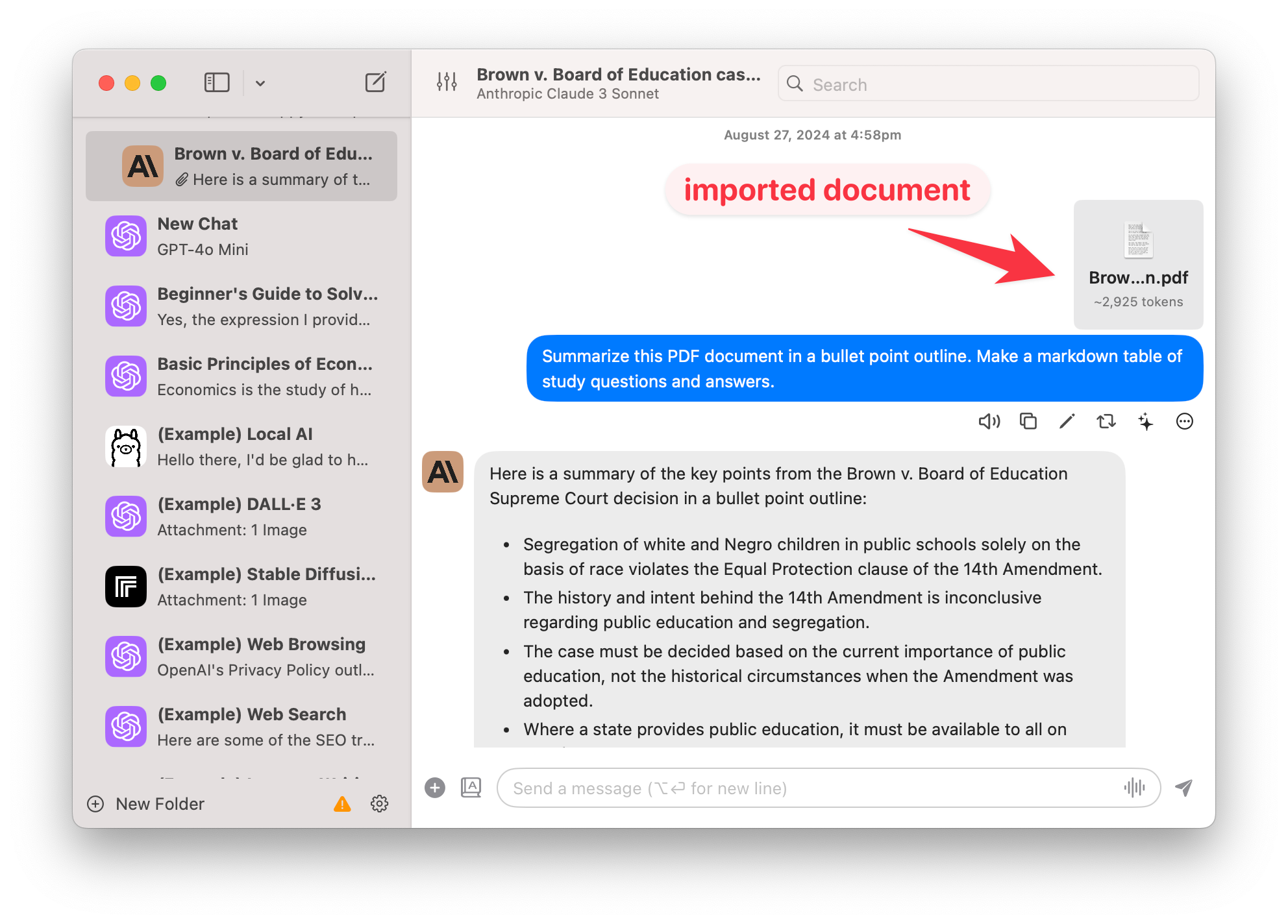
- New: Import data from Claude.ai, including attached documents (Read guide)
- Improved: Automatically fetch TogetherAI model list
- Improved: Estimate costs when using TogetherAI models
- Improved: Enable plugin selection for custom AI server. Note: make sure your custom API endpoint support the
toolsandtool_useparameters. - Fixed: Cannot use
gpt-4o-minias the default model for Image Analysis - Fixed: Main window not re-open when clicking on the dock icon (macOS 12)
- Fixed: Message Editor on dark mode doesn't look good (macOS 12)
v1.19.0 (build 99)
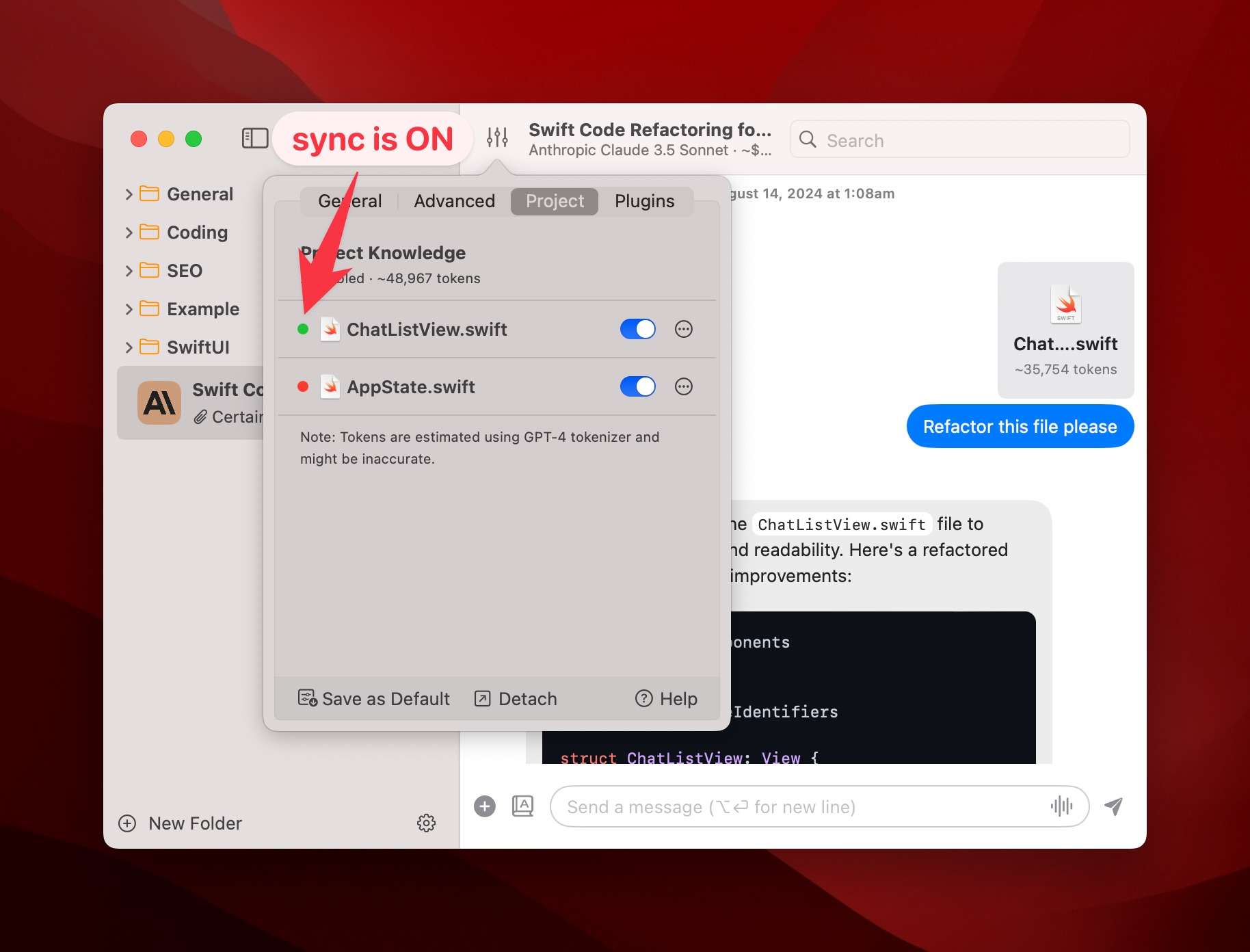
- New: Sync documents with the file system. Go to Chat Configuration > Project
- Improved: Auto focus on the text editor when editing chat messages
- Improved: Remember text editor preview pane setting
- Improved: Remove the start/stop sounds when using Inline Whisper
- Improved: Optimize file reading performance
- Fixed: Memories Included When Plugin Switched Off (#153)
What's new
The most notable change of this release is the new "File Sync" feature. By default, when attaching a document, BoltAI parses the content of the file and stores it in the local database.
This approach has a few advantages:
- BoltAI continues to work even if the file is deleted
- There will be no "surprise bill" when you accidentally add a lot of content to the file
- Take advantage of the Prompt Caching capability to reduce cost
However, it has a major drawback: the file content is not always up-to-date.
Starting v1.19.0, you can enable the File Sync feature (see screenshot). You can turn it on by default in Settings > General.
This is espeically useful when you're working with source code.
Until next time ✌️
v1.18.4 (build 98)
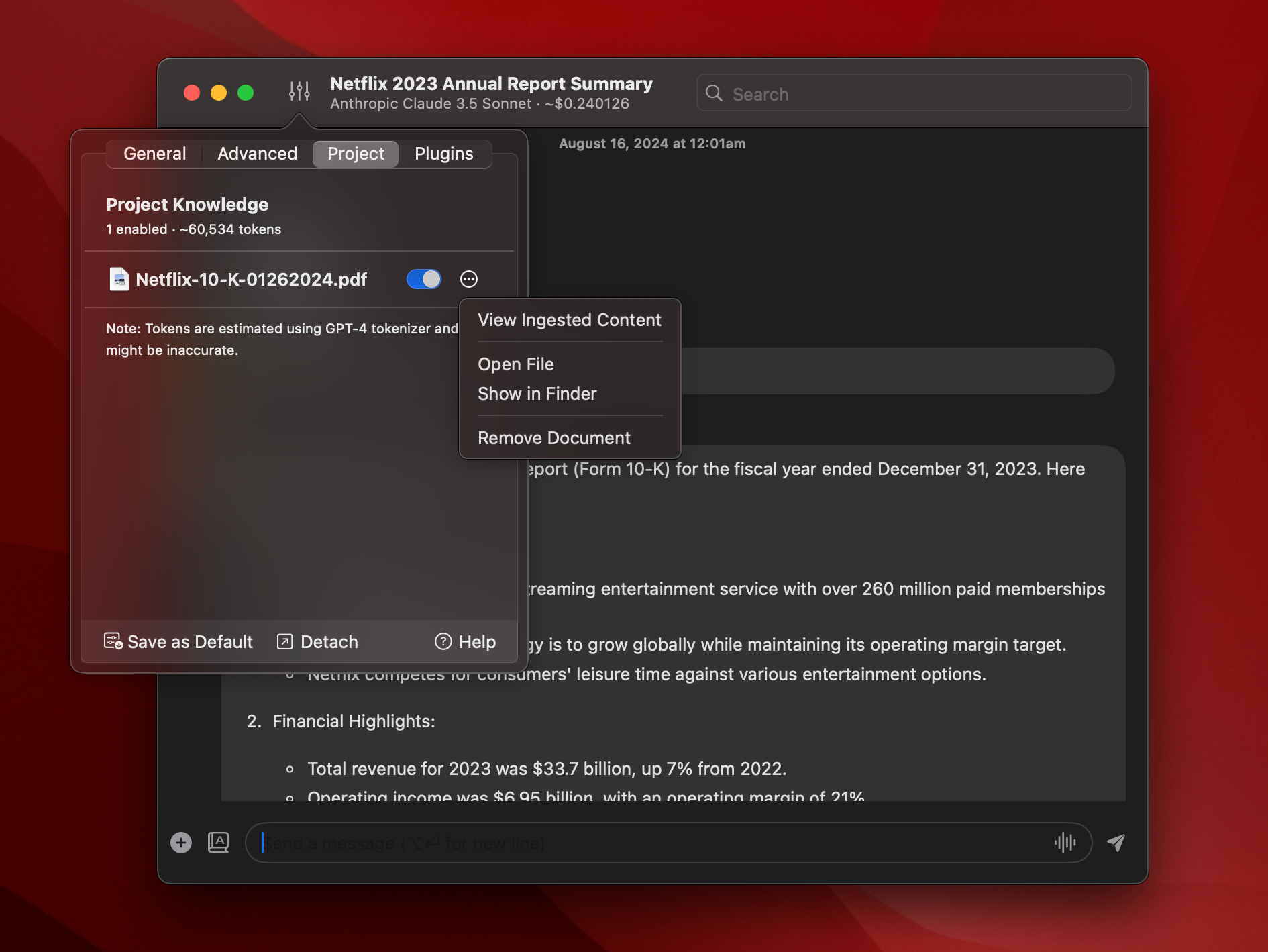
- New: View Document's Ingested Content.Go to Chat Configuration > Project to use it.
- Improved: Handle stop reason
max_tokensfor Claude (show Continue button) - Improved: Added 16k and 32k
max_tokensconfiguration options - Improved: Show correct error message when Claude server is overloaded
- Fixed: Use multiple beta headers for Anthropic Claude
- Fixed #146: Invisible text in "Edit Message" window when editing prompts
v1.18.2 (build 96)
- New: Added OpenAI's latest model ChatGPT-4o
- Improved: Added the "Scroll to bottom" button
v1.18.1 (build 95)
- New: Preview Code. Open generated HTML code with your default web browser.
- New: Added images analysis support for Gemini models
v1.18.0 (build 94)
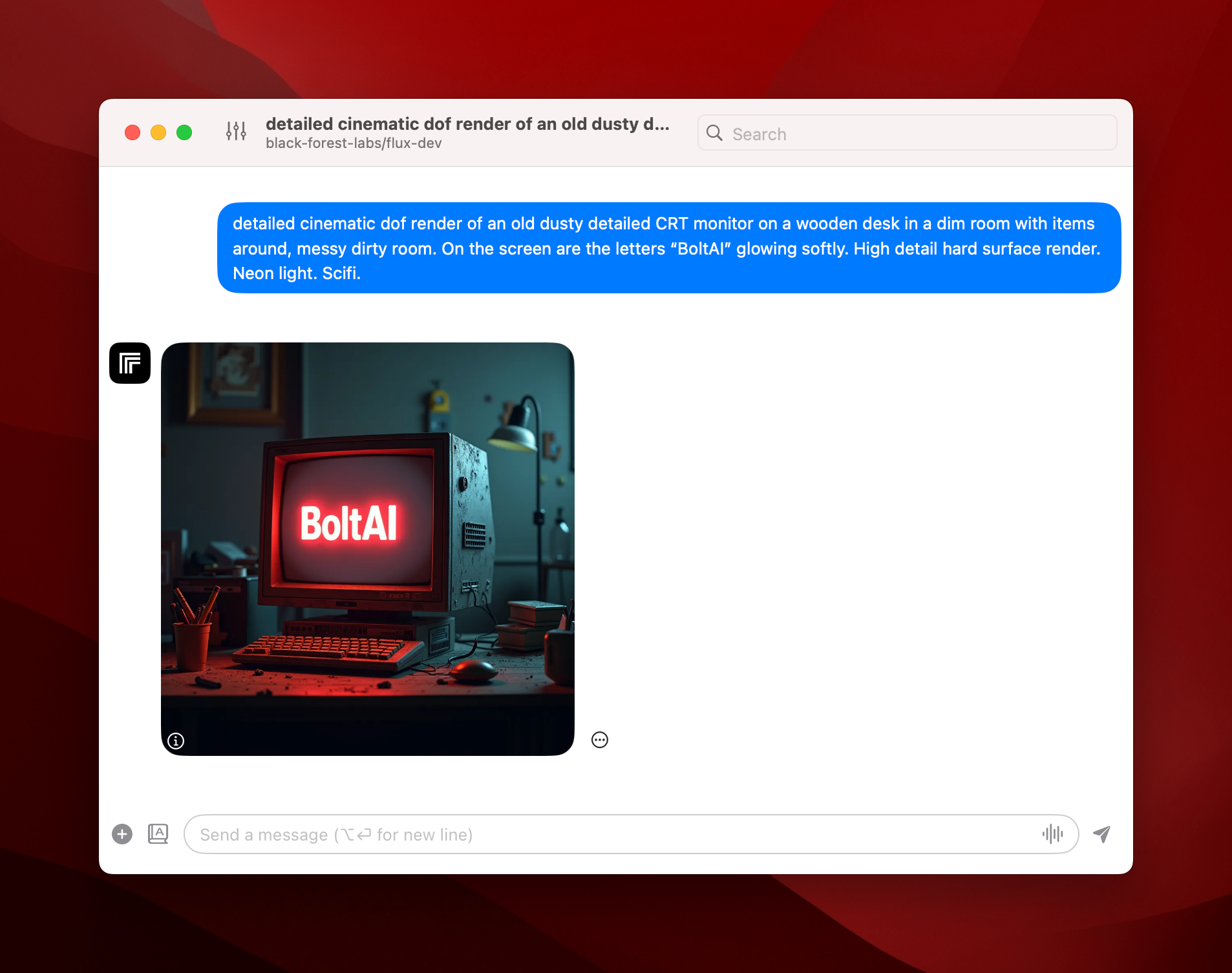
Exciting Update: Temporary Chat, Memory Plugin, FLUX text-to-image model, Gemini 1.5 Experimental 0801 and more.
- New: Temporary Chat. Quickly start a new Temporary Chat with a keyboard shortcut. Go to Settings > Shortcuts to set yours.
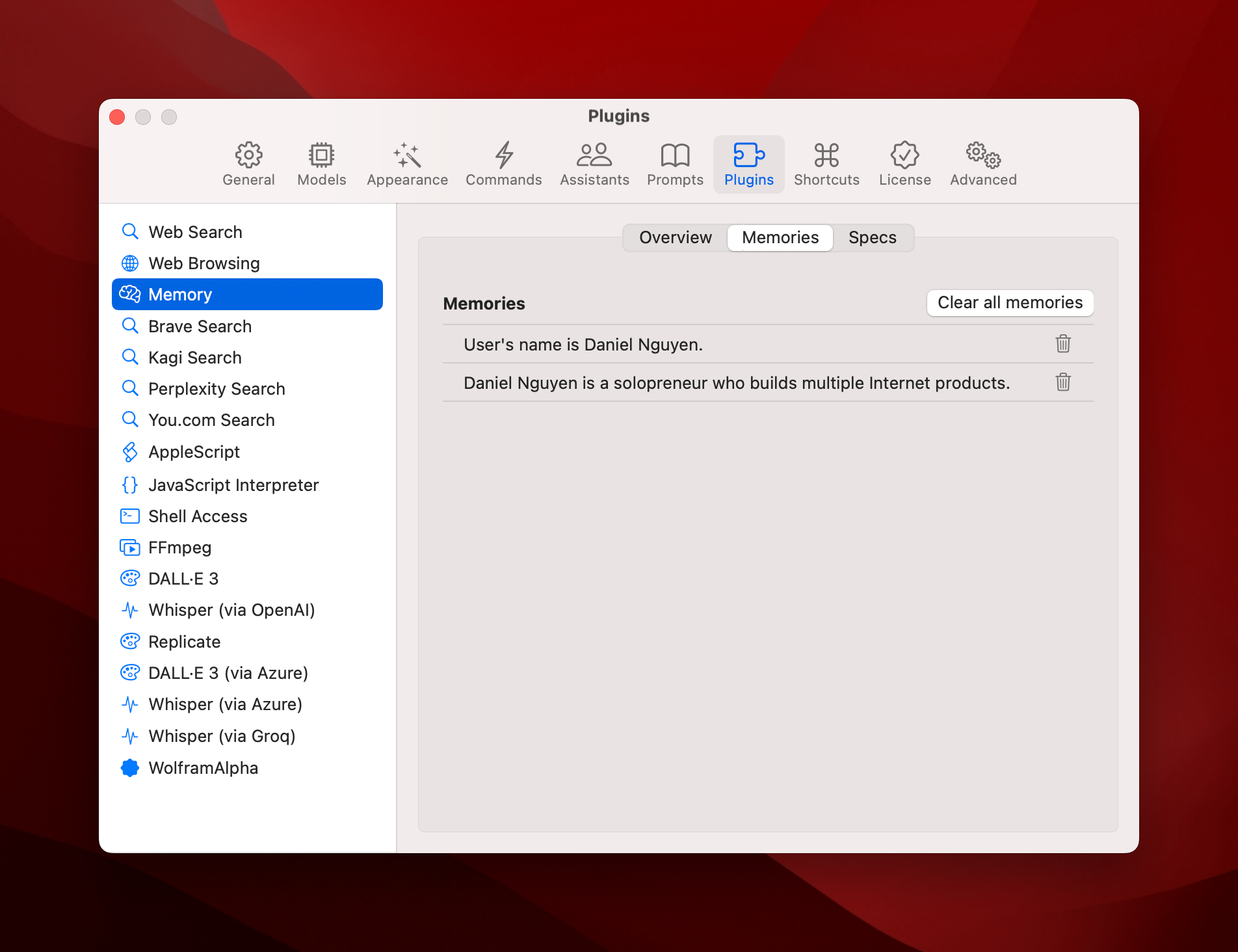
- New: Memory Plugin. Persist information across conversations.
- New: Pull Google Gemini models from the server. Added support for the new model
gemini-1.5-pro-exp-0801 - New: Added support for the new model
FLUXfrom Black Forest Labs (via Replicate) - New: Added support for Dall E hosted on Azure AI Service
- New: Add new plugin Whisper via Azure
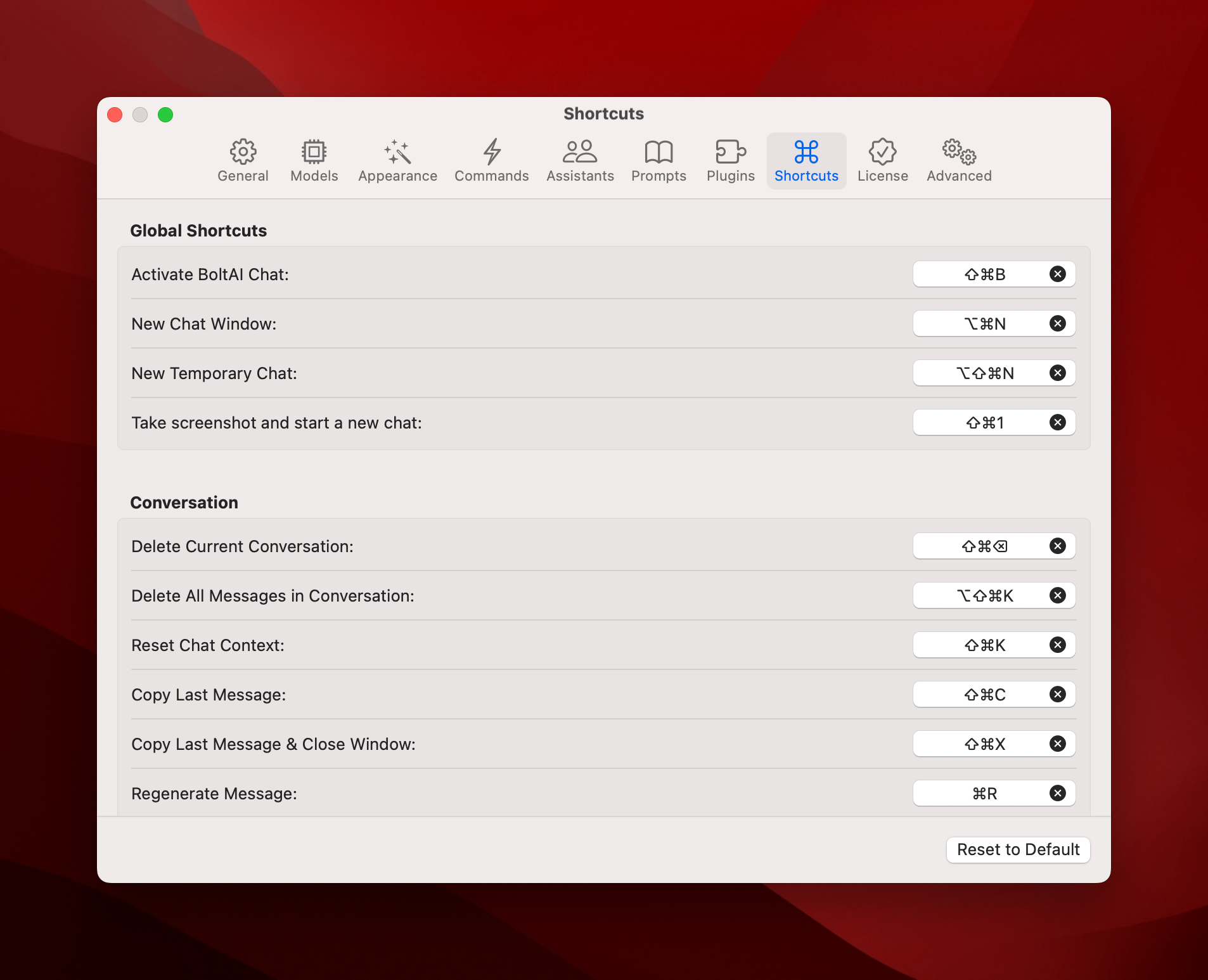
- New: Customize more keyboard shortcuts. Go to Settings > Shortcut to start.
- New: Customize icon for Custom AI Servers
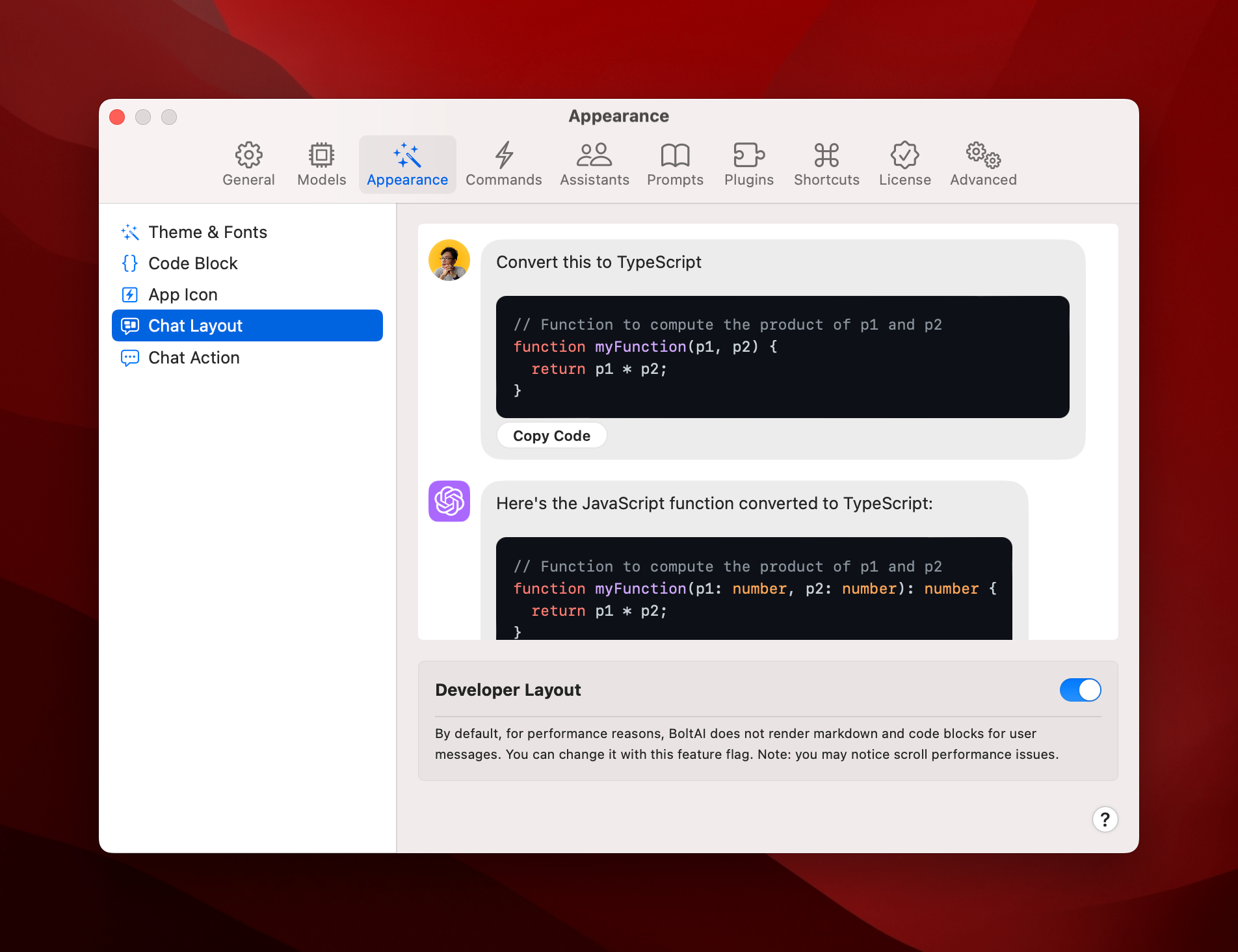
- New: Chat Developer Layout. Renders markdown for user messages.
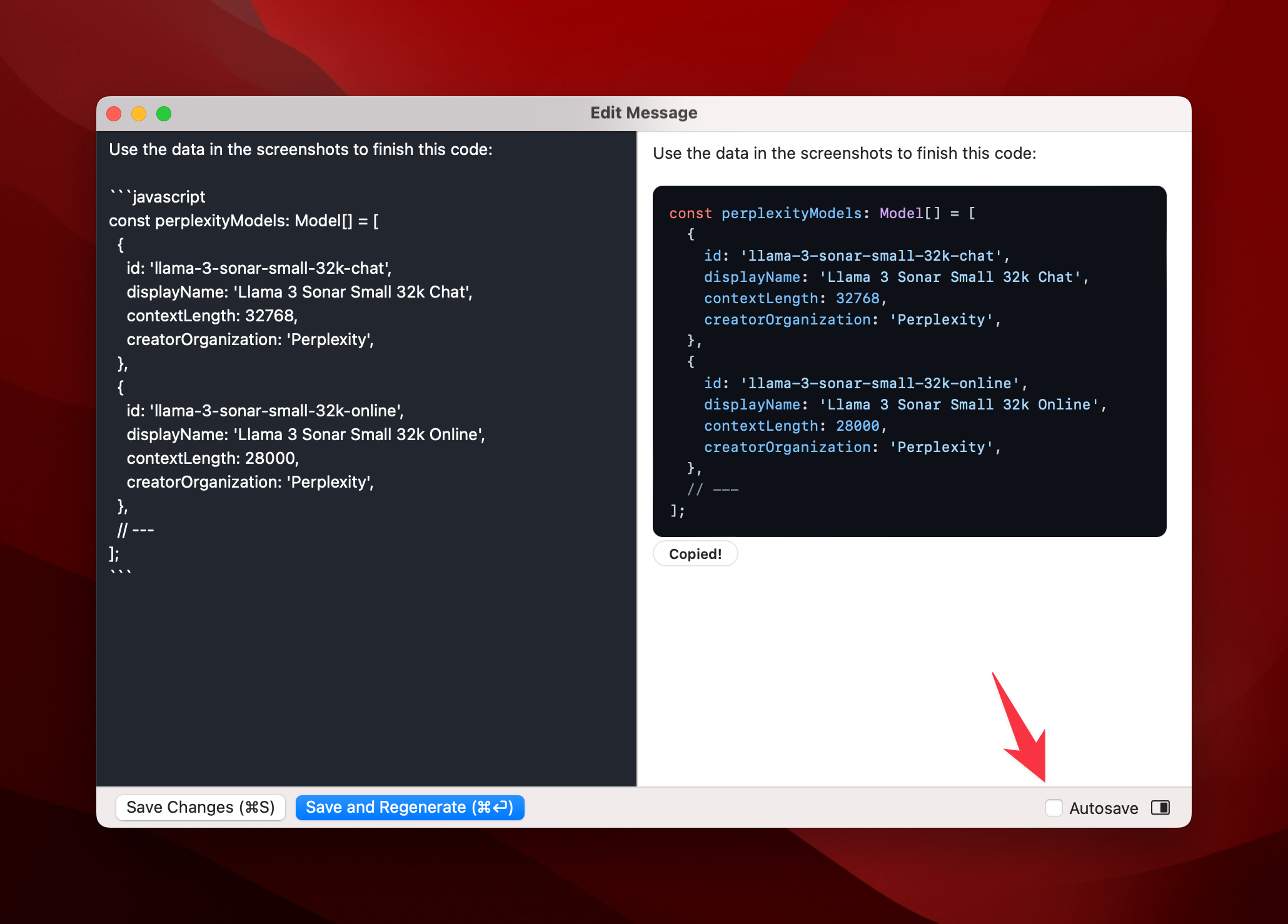
- New: New markdown editor when editing messages
- New: Drag documents & images to the Dock icon or Status Menu Icon to start a new chat
- Fixed: Other bug fixes and improvements
Screenshots & demo videos
1. Memory Plugin:
Demo Video:
Once enabled, BoltAI will automatically remember details between chats. You can also explicitly tell BoltAI to remember certain information. For example:
"Remember I'm a solopreneur" "My name is Daniel Nguyen. Use it whenever you answer to an email"
In BoltAI, memory feature is available as a plugin, and requires the Function Calling to work.
Memory is disabled in Temporary Chat.
You can manage your memories in Settings > Plugins > Memory. Select tab Memories
2. Temporary Chat:
Demo Video:
3. Customize keyboard shortcuts
Go to Settings > Shortcut to start.
4. New markdown editor
5. New developer layout
v1.17.0 (build 91)
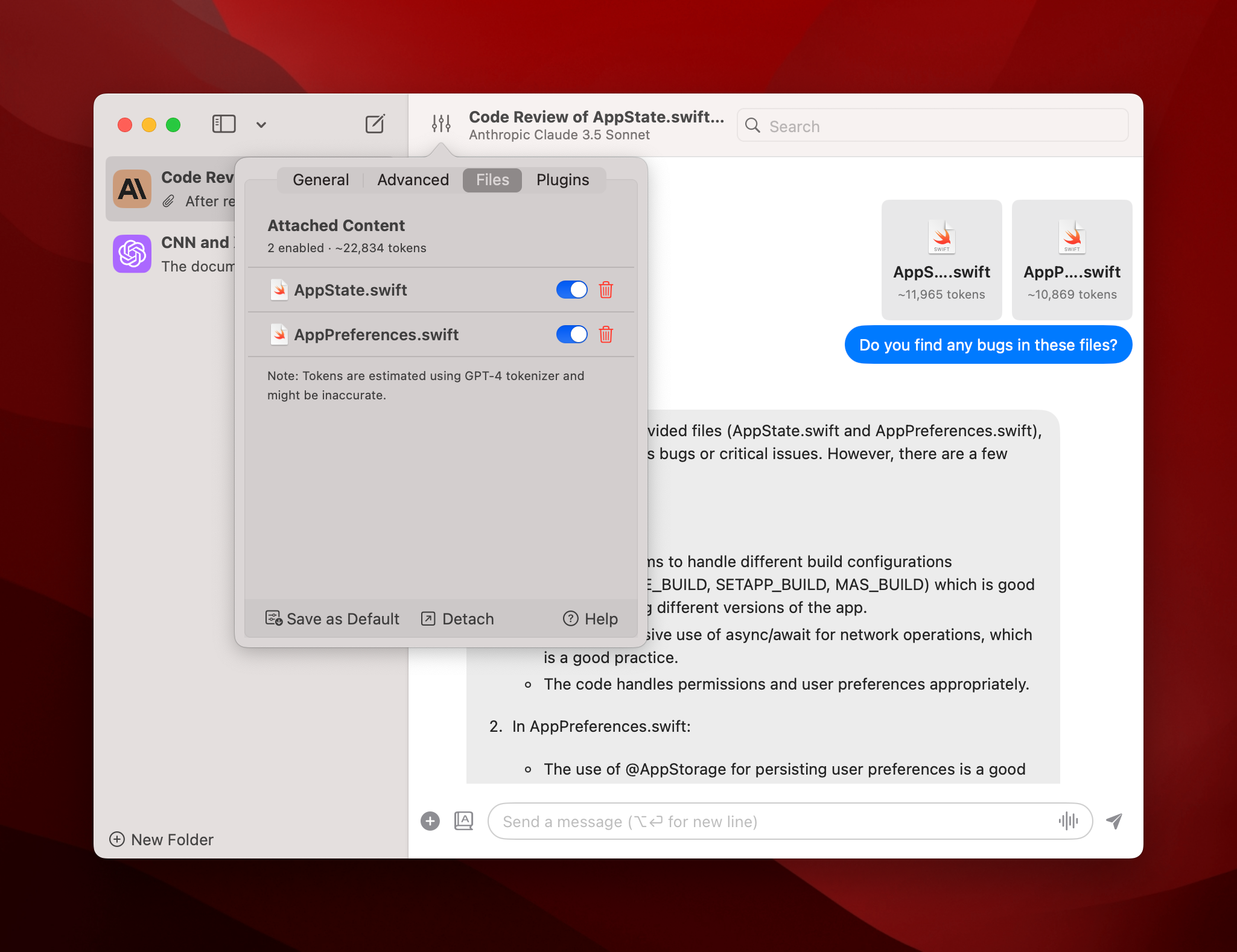
Big Update: Document Analysis, Ollama function calling, Anthropic tool use streaming and more.
- New: Document Analysis is here. Attach documents to your chat and ask AI about it. Learn more...
- New: You can use plugins with Ollama now (Ollama v0.3+ required)
- New: Keyboard shortcut for "New Chat Window"
- New: Add plugin "JavaScript Interpreter" using JavaScriptCore
- Improvement: More accurate tokens counting & cost estumation
- Improvement: Anthropic Tool Use now supports streaming. Faster and better!
- Improvement: Customize Base URL for Anthropic
- Experiment: Customize the strategy to fetch highlighted text for AI Inline
- Bug fixes & improvements
v1.16.8 "Power Users"
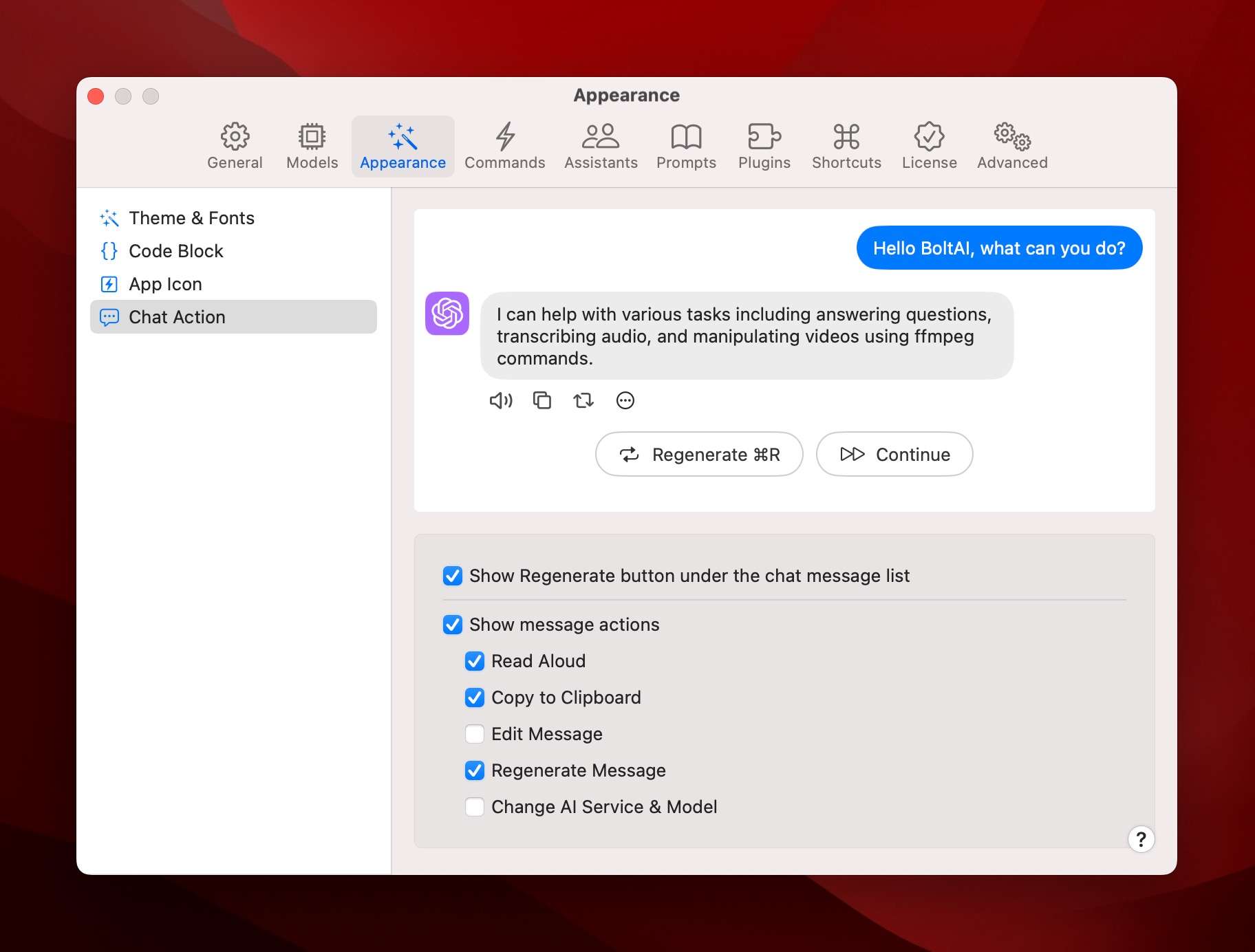
Big update for power users! (hello @ethanj801 👋)
- New: Gemini 1.5 Pro 2M context window
- New: You can use AI plugins with Gemini models now
- New: Added support for Code Execution for Gemini models
- New: Customize Safety Settings for Gemini models
- New: Search in plugin list dropdown
- New: Supports more advanced parameters: Top P, Top K, Max Tokens…
- New: AI Command supports alternative prompt & more advanced parameters…
- New: More powerful Context Limits management: All Messages / No Context / First n Messages / Last n Messages…
- New: Detach Chat Configuration panel to a new window
- New: Save chat configurations as default
- New: Sort chats by Edit Date, Create Date or Title
- New: Pin chats / Hide chats
- New: Customize chat message action toolbar
- New: Delete all subsequence messages action
- Improvement: Allow disabling the current time in the System Instruction
- Improvement: Hide windows on login
- Attempt to fix the issue where chat messages are gone after pressing Enter
- General bug fixes & improvements
v1.16.7 (build 85)
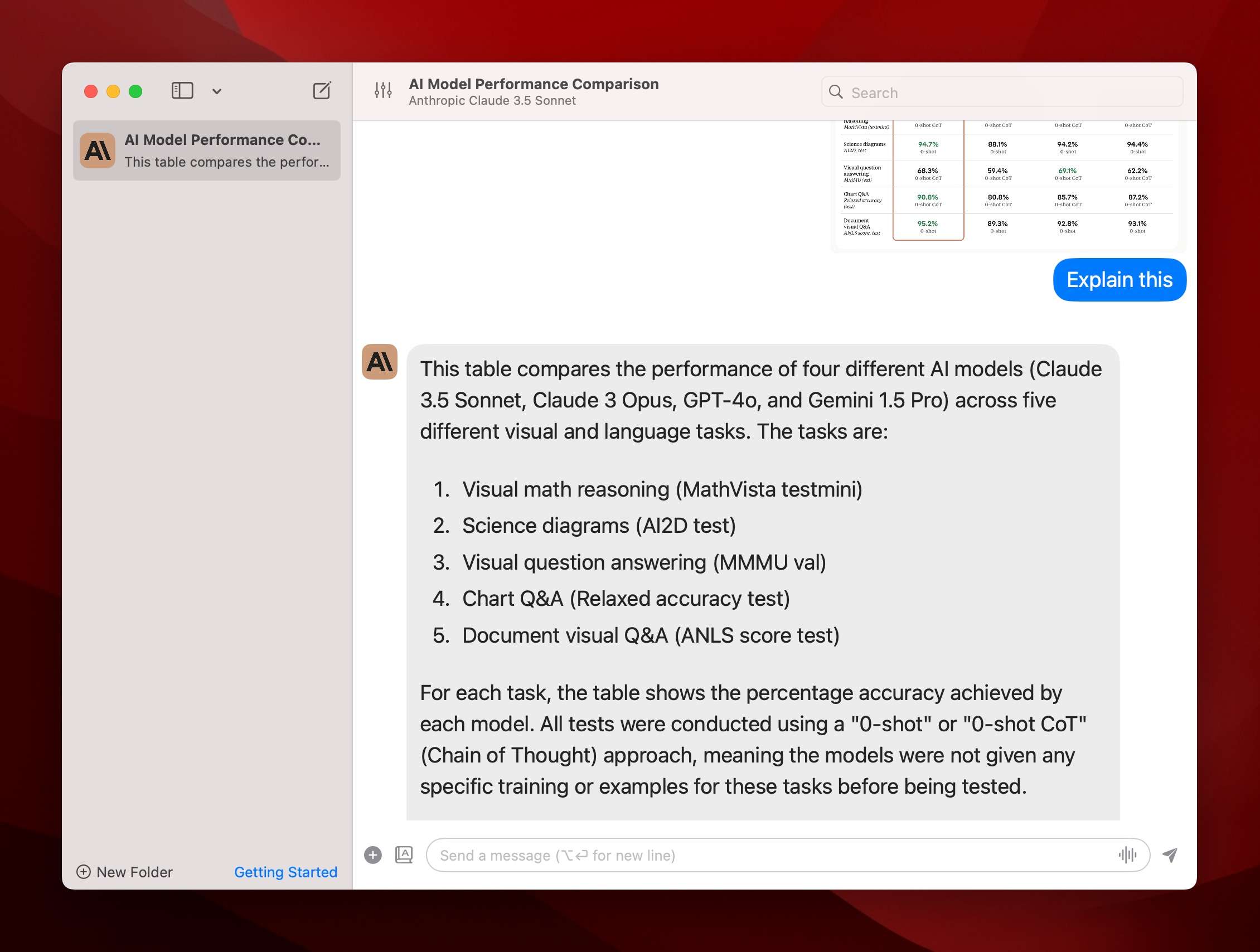
- New: Added Anthropic's latest model Claude 3.5 Sonnet
- New: WolframAlpha LLM plugin
- New: Whisper plugin (run on Groq)
- Improvement: Right-click and open images with BoltAI
- Improvement: Supports finetuned models for AI Command & AI Assistant
- Improvement: Start a new chat in the right folder
- Fix: Icon Reverts on App Update
v1.16.5 (build 84)
Exciting release. This release focuses on Image Generation & Read Aloud features.
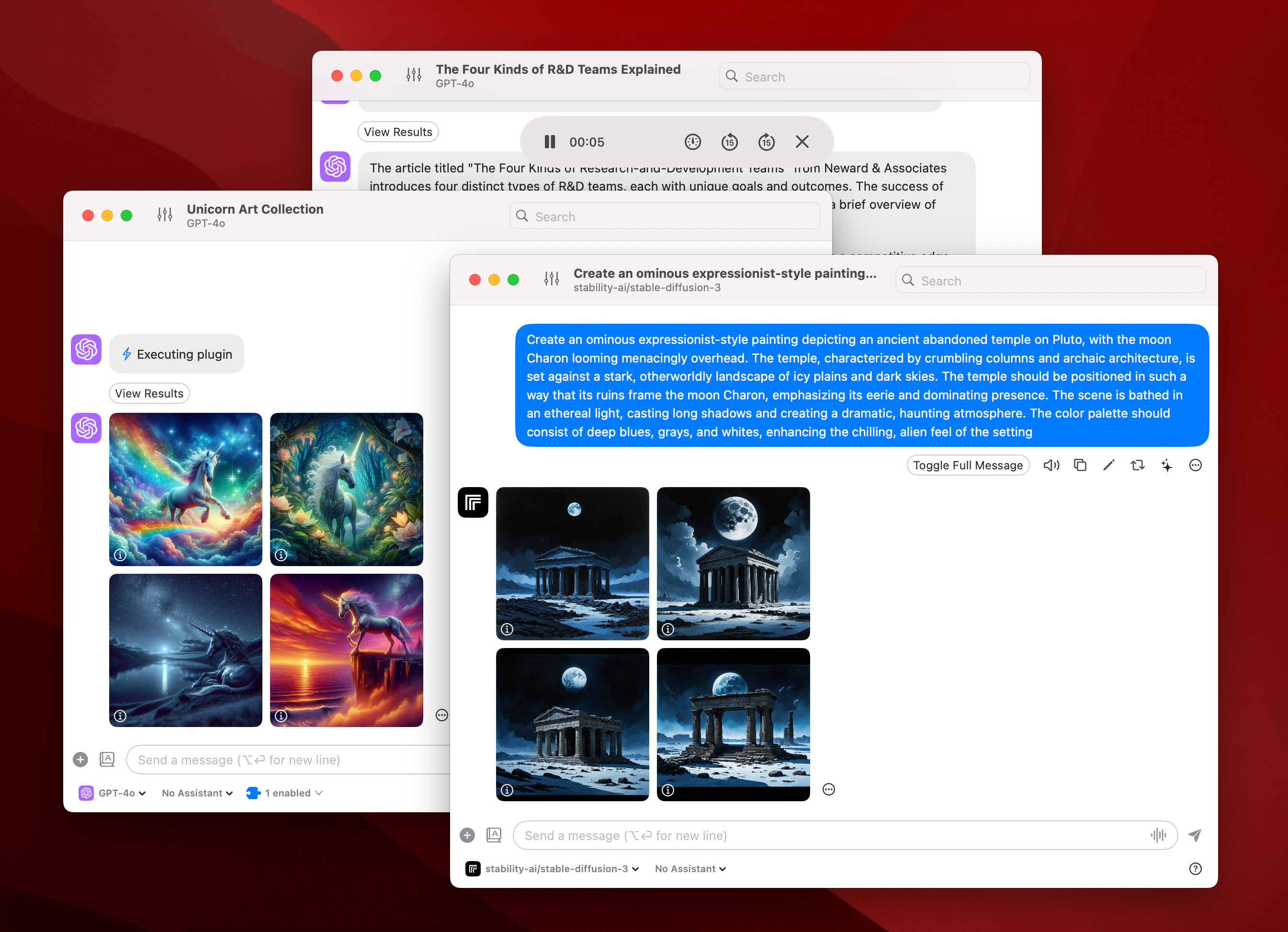
- New: A brand new Audio Player for the Read Aloud feature with the option to change playback speed
- New: More customizations for Dall E: quality, size, style and number of images
- New: Better supports for Replicate: new models, customize aspect ratio and number of images
- New: Use Dall E and Replicate as an AI plugin
- New: View revised prompt for each generated image
- New: New Whisper plugin, transcribe audio files using OpenAI's whisper model (requires OpenAI API key)
- New: Quickly switch to a different AI Service/Model
- New: Quickly change chat configuration with the Status Bar
- New: Use a custom app icon (only PNG is supported)
- Fixed: Attempted to fix the issue where chat message gone after pressing Enter
- Fixed: Stop chat stream when clicking the stop button, or when deleting current chat
- Fixed: Fixed issue with perplexity & context limit setting
- Fixed: Cannot scroll the chat input field
- Fixed: Only fetch OpenRouter model list if OpenRouter service is enabled
- Fixed: Restart not working
- Fixed: Launch at Login not working
- Fixed: AI Command Alternative Profile doesn't follow the
behaviorsetting - Fixed: AI Plugins settings are not saved
- Fixed: App Icon is not changed after quitting the app
